

02 Oct How to Set Up Google Business Profile: 5 Simple Steps That Work
Before You Spend the Time, Make Sure Google Business Profile Fits Your Business
Setting Up Google Business Profile: Use these 5 Simple Steps
First, make sure your business is actually eligible
A Google Business Profile is a free listing that helps eligible local businesses appear on Google Search and Maps. The important word is eligible. Your business generally needs to meet customers in person, either at your location or where you travel to serve them.
If you work from home, travel to clients, or serve a local area without a storefront, you may have assumed Google Business Profile is not for you. That assumption can cost you a useful local visibility opportunity. No storefront does not mean no Google Business Profile.
When you are deciding how to set up Google Business Profile, the important distinction is not whether you have a storefront. Google says a business must make in person contact with customers to qualify. If customers visit your location, you may qualify. If you travel to customers and serve a specific area, you may qualify too. That means home based and service area businesses can still use Google Business Profile to appear in Google Search and Maps. A business that operates entirely online with no in person customer contact generally does not qualify. You can review Google’s current Business Profile eligibility guidelines before you begin.
Before You Set It Up, See Which Type of Business You Are
This is the part I would check before filling out anything, because the storefront question is where a lot of people get tripped up.
If customers come to your business location, you may qualify as a storefront business. If you work from home but travel to customers or deliver services directly to them, you may qualify as a service area business without displaying your home address. If you do both, Google considers that a hybrid business.
If your business is completely virtual and you never meet customers in person, that is where Google’s eligibility rules change. Work delivered entirely through Zoom, email, online courses, digital products, or other remote methods generally does not qualify for a Google Business Profile.
For eligible home based and service area businesses, learning how to set up Google Business Profile can give Google another clear place to understand your business and give potential customers another way to find you. If your business is online only, your website, social profiles, useful content, and AI search visibility can still do plenty of heavy lifting.
1. Claim or Create Your Google Business Profile
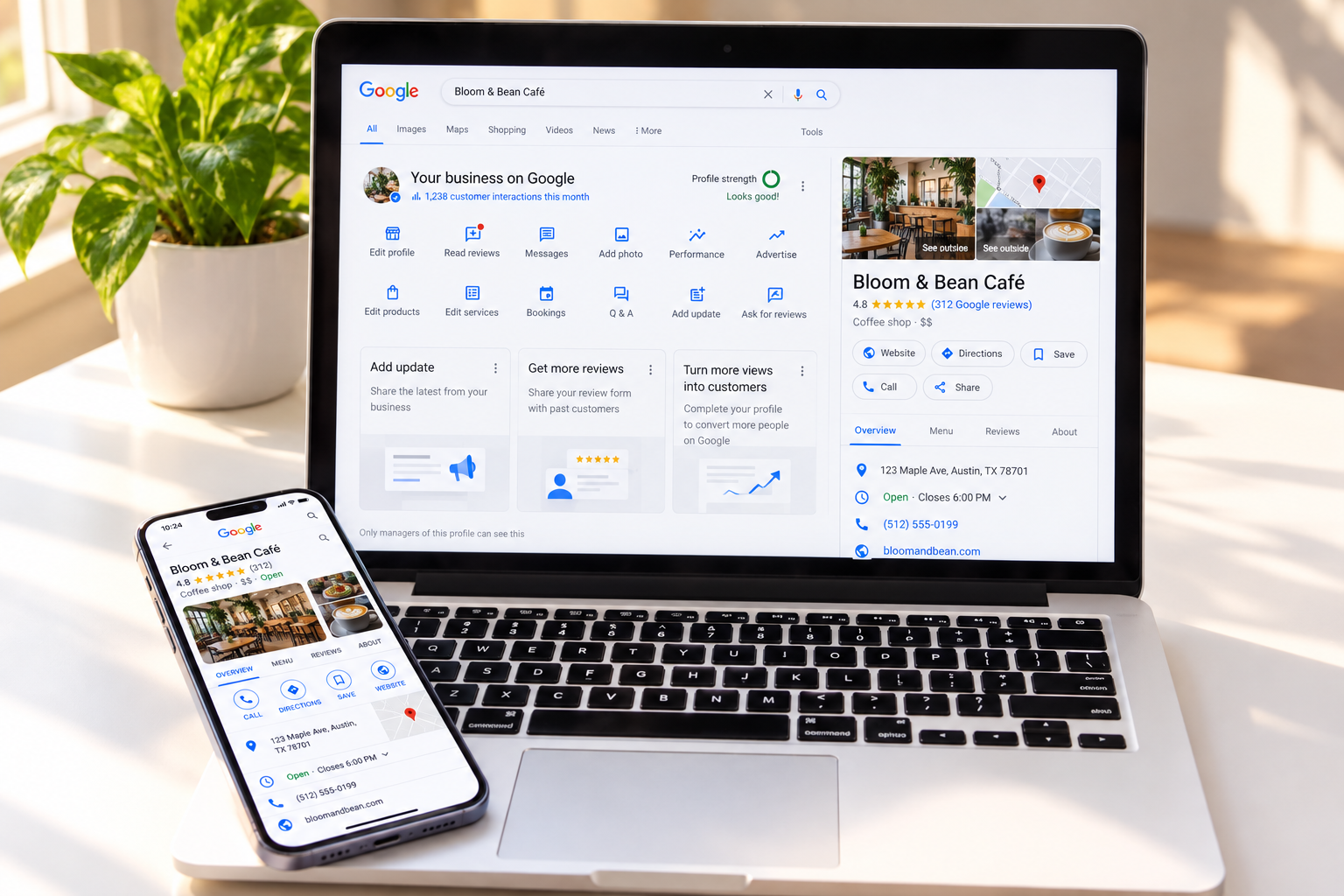 Start by searching for your business on Google Search or Maps. A profile may already exist, especially if Google has picked up information about the business from other public sources.
If you find an existing profile, claim it rather than creating a duplicate. If nothing appears, you can create a new one. Google provides the current steps on its Add or claim your Business Profile page.
This first step is simply telling Google which business you are responsible for. Everything after that is about making sure the information is accurate and useful.
2. Fill In the Details That Actually Matter
Your business name, category, location or service area, phone number, website, hours, and services all help Google understand what your business is and how customers can reach you.
If you run a true service area business from home and do not serve customers at that address, Google says you should hide the address and show the areas where you travel to customers instead. Service areas can be listed by city, postal code, or another defined area. Google currently allows up to 20 service areas and recommends keeping the overall area reasonably close to where the business is based. Google explains those service area rules here.
When learning how to set up Google Business Profile, start by choosing the business category that most accurately reflects what you do. This is not the place to squeeze in every service you offer. Choose the clearest primary category, then add other relevant information where Google allows it.
3. Add Photos and a Description a Stranger Would Understand
A few real photos can make a profile feel more useful and more complete. Depending on your business, that might mean you, your workspace, your storefront, your team, your equipment, or examples of the work itself.
Write the business description the same way you would explain your work to someone sitting across the table from you. What do you do? Who do you help? Where do you serve them?
This is the same test we have been using throughout this visibility series. If a complete stranger read only this description, would they understand what you offer?
“If someone has to guess what you do, your profile is making them work too hard.”
4. Use the Features That Make Sense for Your Business
Once your Google Business Profile is active, you can add useful details such as services, photos, updates, website links, phone information, and other profile features available to your business.
The old Google Business Profile chat feature was discontinued in 2024. Google now allows some verified businesses in select regions to add text or WhatsApp contact options, but those options are not available to every profile. Google explains the messaging changes here.
You do not need to turn on or use every feature simply because it exists. Choose the ones that make it easier for a real customer to understand, contact, or choose your business.
5. Verify Your Profile and Keep It Current
 A key part of learning how to set up Google Business Profile is verification. Google decides which methods are available for each business. Depending on the profile, you may be offered phone or text, email, video recording, a live video call, postcard, or, in some cases, instant verification.
The important part is not to assume you will receive a postcard or that verification will happen immediately. Google says verification methods are automatically determined, and review after verification can take up to five business days. If postcard verification is offered, the code can take up to 14 days to arrive. You can see the current options in Google’s verification instructions.
Once the profile is verified, the ongoing job is much simpler: keep the information truthful and current.
How to Optimize Google Business Profile Once It Is Live
Knowing how to set up Google Business Profile is only the beginning. Learning how to optimize Google Business Profile over time helps keep the listing accurate, useful, and worth trusting.
Update your hours when they change. Add a current photo now and then. Make sure your services still match what you offer. Respond to reviews when they come in, a topic the Online Reputation piece covers in more depth.
None of this needs to become another job. A simple recurring check is usually more useful than ignoring the profile for months and then trying to fix everything at once.
What If Your Business Is Completely Online?
This is where the distinction really matters. Having no storefront does not disqualify you. Having no in person customer contact generally does.
A coach, consultant, photographer, repair professional, mobile service provider, or other business may work from home and still qualify if customers meet them in person or they travel to serve customers. A coach or consultant who works entirely through Zoom and never meets clients in person generally does not.
If you are eligible, Google Business Profile can be another useful piece of your local visibility and search presence. If you are online only, your visibility work simply belongs elsewhere. Strengthen your website, make your services easy to understand, keep your social profiles current, and make sure search engines and AI tools have clear information to work with. The AI Search Optimization article goes deeper into that side of being found.
Bringing It Together
The process itself is straightforward once you know the profile fits your business. Confirm eligibility, claim or create the profile, fill in accurate information, add useful content, verify it, and keep it current.
The goal is not to add another marketing task to your week. It is to make sure that when someone searches locally for the kind of help you provide, the information they find is accurate, useful, and easy to trust.
“The best time to plant a tree was 20 years ago. The second best time is now.”
— Chinese Proverb
If you are not sure whether Google Business Profile belongs in your visibility plan, a Free Strategy Session is a simple place to sort that out before you spend time setting up the wrong thing.
What Is a Google Business Profile, and Why Does It Matter?
A Google Business Profile is a free listing for eligible local businesses that can appear on Google Search and Maps. It can show details such as your services, location or service area, hours, website, phone number, photos, and reviews.
Do I Need a Google Business Profile if I Do Not Have a Storefront?
No. A storefront is not required. You may still qualify if you meet customers in person or travel to them as a service area business. If you do not serve customers at your home or office address, Google says that address should be hidden from the public profile.
How Long Does It Take to Set Up Google Business Profile?
The form itself may be quick, but the full process depends on the verification method Google offers your business. Review can take up to five business days, and postcard verification, when available, may take up to 14 days to arrive.
What Is the Difference Between Setting Up and Optimizing a Google Business Profile?
Setup is the initial work of creating or claiming the profile, adding accurate information, and completing verification. To optimize Google Business Profile over time, keep services, hours, photos, reviews, and other important details current and useful.
Do I Need a Google Business Profile if I Only Work Online?
Before you learn how to set up google business profile, check whether your business qualifies. If you have no in-person customer contact at all, Google says you’re generally not eligible. Being online-only is different from having no storefront: home-based and service-area businesses may still qualify. If your work is completely virtual, focus instead on your website, content, social presence, and broader search visibility.

De Harris is the founder of AllBizWeb Marketing, with 22+ years of experience helping business owners bring strategy, marketing, websites, AI, and everyday systems together so the business actually works, without piling on more complexity to get there. Her goal is simple: help people move forward with a little more clarity, a little more confidence, and a more Balanced Life & Biz »

Sorry, the comment form is closed at this time.